Chrono Warfare How to Redeem Codes
A clear redeem flow for Chrono Warfare so you never waste a limited launch code.
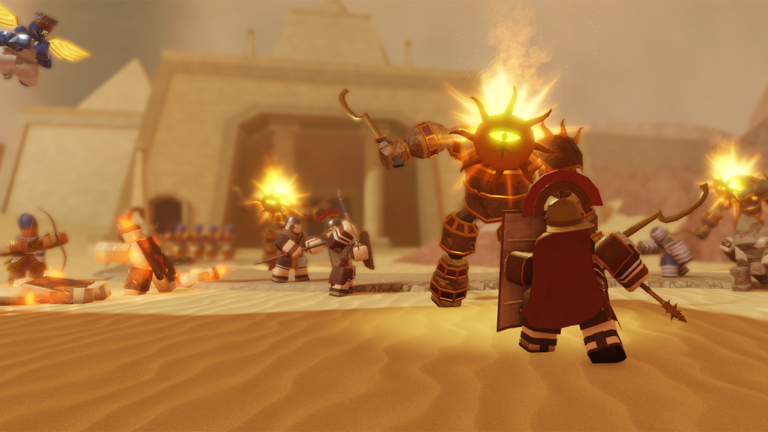
Redeeming codes in Chrono Warfare should take under a minute once the studio enables a codes box. This guide walks through the standard Roblox tower-defense redeem flow used by BoringGames-style menus, plus troubleshooting for the launch meta when strings finally appear on the codes tracker.
Before you redeem
Confirm three things:
- You are in the real Chrono Warfare experience under BoringGames Studio.
- The code is still listed as active on our Chrono Warfare codes page or an official studio message.
- You can see the lobby or in-game menu — some titles only expose Codes after character load finishes.
If you are brand new, finish the first lobby cues covered in Getting Started and Controls so you know where Settings and shop buttons sit.
Step-by-step redemption
- Launch Chrono Warfare on Roblox from the official experience page.
- Wait until your avatar fully loads into the lobby or a match lobby screen.
- Open the main menu. Look for a Codes, Redeem, or gift-icon button — in many BoringGames TD layouts this sits near Settings or the shop cluster.
- Tap the text field and paste the code exactly. Prefer paste over retyping when the official post provides selectable text.
- Press Redeem / Confirm.
- Watch for a success toast, mail inbox item, or instant currency change. If nothing happens, do not spam the button — check troubleshooting below.
Codes are almost always case-sensitive. Launch2026 and launch2026 are different strings. Do not add spaces before or after the code.
Mobile vs desktop differences
On mobile, the Codes button can hide behind a hamburger or gear icon because the lobby UI is denser. Rotate to landscape if buttons overlap. On desktop, hover the left or right dock for secondary icons. If you still cannot find Codes after a major patch, the redemption system may not be live yet — return to the codes hub for status rather than installing third-party “code generators.”
What rewards usually look like
Roblox TD codes typically grant soft currency for tower unlocks, temporary income or damage boosts, cosmetic skins tied to eras, or occasional exclusive towers during milestones. Spend currency with a plan. Cross-check the credit calculator and best towers before dumping a large gift into a weak early unit. Pack Hunter seekers should also read how to get Pack Hunter.
Troubleshooting failed codes
Expired — Milestone codes often die within days. Remove them from your personal list and wait for the next patch note on Updates.
Typo — Re-copy from the official source. Avoid OCR from blurry screenshots.
Already redeemed — Most codes are one-time per account.
Server lag — Leave and rejoin if the menu freezes mid-redeem.
No Codes button — The feature may still be disabled in this early unfinished build. Chrono Warfare is actively developed; UI can appear after hotfixes.
Safety rules
Never enter your Roblox password into a website that promises “instant codes.” Only redeem inside the Roblox client. Script menus that auto-redeem codes can still violate Roblox rules — read the scripts hub warnings before experimenting.
After a successful redeem
- Note what you received.
- Decide whether to rush an era clear using era progression or bank currency for a tier-list upgrade.
- Update your personal era checklist so the reward ties to a goal instead of sitting unused.
Related guides
Pair this page with Chrono Warfare codes, credits farming, and official links so every future drop is claimed and spent efficiently.
Practical checklist for How to Redeem Chrono Warfare Codes
- Re-read the sections above after every update.
- Cross-check spending with best towers and the credit calculator.
- Track triumphs on the era checklist.
- Prefer official news via official links.
- Use Getting Started and tower placement when fundamentals slip.
Launch-window reminders
Chrono Warfare is unfinished. Prehistoric Times and Ancient Civilizations are the live eras. Evolution Evade progress does not transfer. Codes may be empty — see codes. Pack Hunter and Colosseum/Egypt clears are high-traffic topics covered in linked guides under guides.
Account safety
Skip phishing “free unlock” sites and treat scripts as high risk. Skill, placement, and planned farming remain the reliable path through Impossible and into later eras described in era progression.
August 2026 status
As of mid-August 2026 the redeem button is still widely reported as missing. Follow the steps above only after a Codes field appears in your client. Until then, track status on codes and the August meta page instead of installing third-party generators.
Frequently Asked Questions
Quick answers to the most common questions.
Where is the Codes button in Chrono Warfare?
Look in the lobby menu near Settings or the shop icons after your character loads. If it is missing, redemption may not be enabled yet.
Are Chrono Warfare codes case-sensitive?
Yes. Enter the exact capitalization from the official post or our working list.
Can I redeem the same code twice?
Usually no. Most Roblox experience codes are one redeem per account.
Do I need to be in a match to redeem?
Typically you redeem from the lobby. If a code fails in a live match UI, return to lobby and try again.